
Enterprise data teams are moving quickly from AI experiments to agentic systems that solve real business problems. These systems retrieve context, reason over it, and execute multistep actions across data, models, and workflows.
Teradata Autonomous Knowledge Platform supports this transition by unifying data, AI, and execution into a single system. It enables data professionals to develop, prototype, and deploy agents using notebooks or scripts, with built-in support for vector retrieval through native vector stores, and large language model inference APIs. These capabilities are exposed through AI Studio, the unified workspace of the platform, where developers interact with data, models, and agents in one environment.
Highly regulated industries face strict requirements for data sovereignty, residency, and compliance. Teradata Factory meets these needs by enabling on-premises use of Teradata’s platform under full customer control.
At the infrastructure level, Teradata Factory unifies GPU‑accelerated compute, modern CPU architectures, modular storage, networking, and the complete Teradata software stack into a single, pre-integrated system. It’s designed to run enterprise data warehouse, lakehouse, and advanced AI workloads side by side at scale, while maintaining performance, governance, and operational consistency.
This article illustrates how developers can utilize Teradata Factory and AI Studio to create enterprise AI agents. It highlights a particular scenario powered by Teradata Enterprise Vector Store.
Where developers enter Teradata Factory: AI Studio
AI Studio is the primary way developers interact with Teradata Factory. It’s a unified workspace that developers can use to build, test, and scale AI outcomes without moving data or stitching together external services.
From AI Studio, developers have access to:
- Tera: the agentic workspace for Teradata
- Notebooks for development in either Python or SQL
- AI ModelHub to deploy, discover, and invoke fully governed, on-premises large language models (LLMs)
- Enterprise Vector Store for the development of retrieval augmented generation (RAG) systems
- Built‑in platform agents that handle operational concerns under defined guardrails
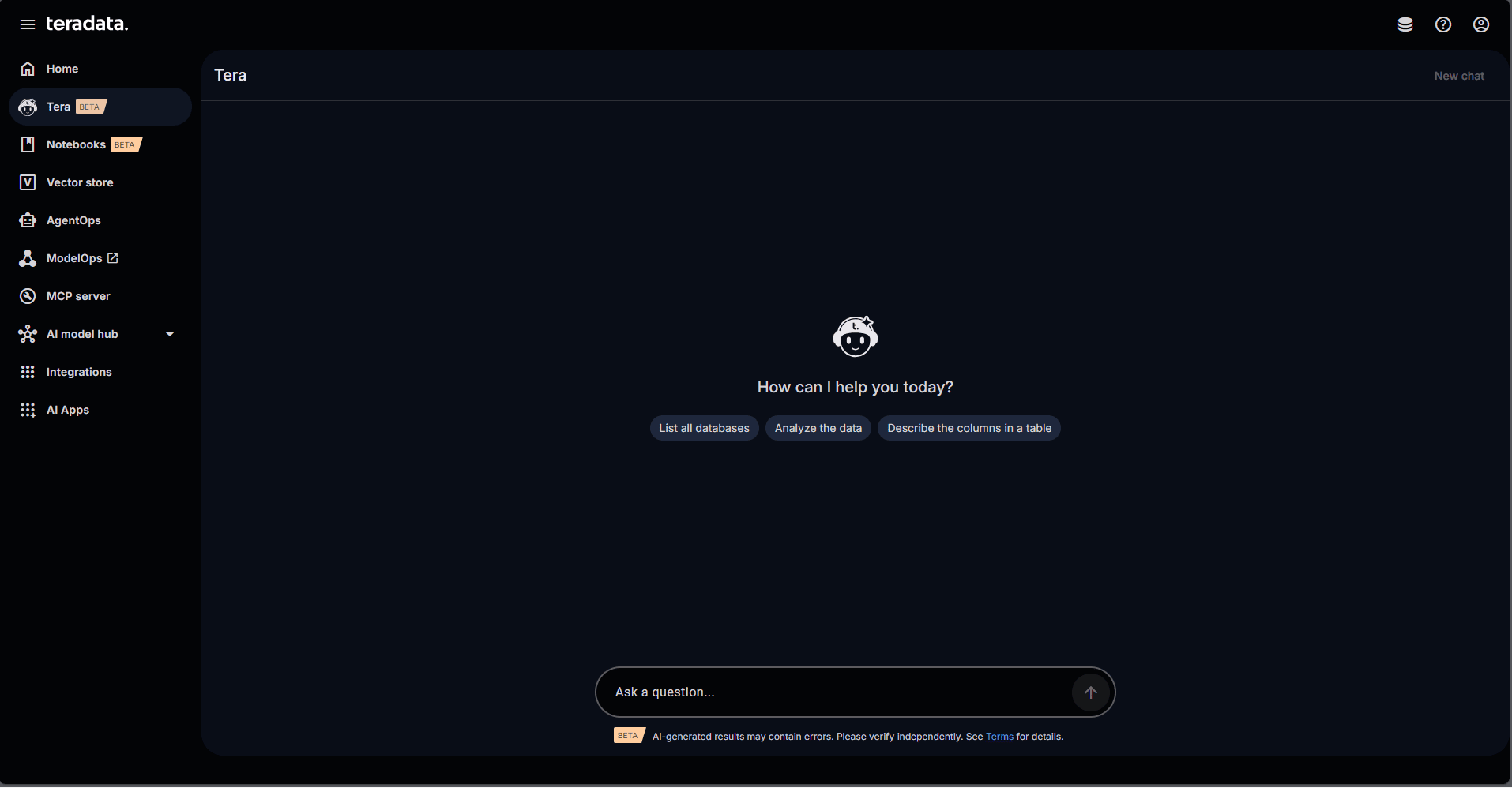
AI Studio UI
From a developer perspective, this means:
- No separate vector database environment to deploy or secure
- No external inference service to manage
- No pipelines to copy data out of the platform
Agents operate directly where the data lives, inheriting the same access controls, lineage, and workload management as other enterprise workloads.
A concrete scenario: A compliance risk assessment agent
Consider a financial services team building an internal risk intelligence agent.
The agent answers analyst questions by combining:
- Internal policies and regulatory documents
- Risk rules stored in relational tables
- Transaction‑level context
This system must comply with the following constraints:
- Data must remain on premises
- All access must be auditable
- Performance must remain predictable as multiple analysts interact with the system concurrently
Teradata Factory empowers developers to build this type of system under precisely these types of constraints.
Deploying LLMs on premises with AI ModelHub
The first step is provisioning the necessary LLMs for both the creation of embeddings and chat interactions that will power the agent. A user with administrative rights can deploy new models to inference endpoints through AI ModelHub.
AI ModelHub acts as the control plane for discovering, deploying, selecting, and interacting with production ready chat and embedding models that run locally on Teradata Factory. Developers reference models by name and endpoint and interact with them programmatically from code without managing infrastructure, provisioning GPUs manually, or exposing enterprise data outside the platform.
The models available depend on specific customer configurations. Options include NVIDIA NIM, HuggingFace, or storage-based open models.
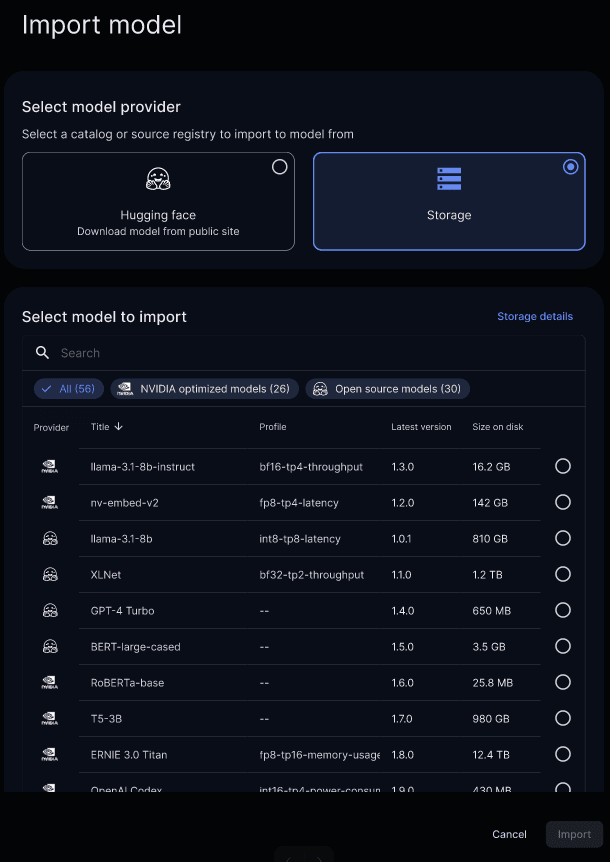
AI ModelHub – Deploying a model
Deployed models are published to AI ModelHub’s AI Model Gateway—fully governed, tracked, and available through their corresponding endpoint.
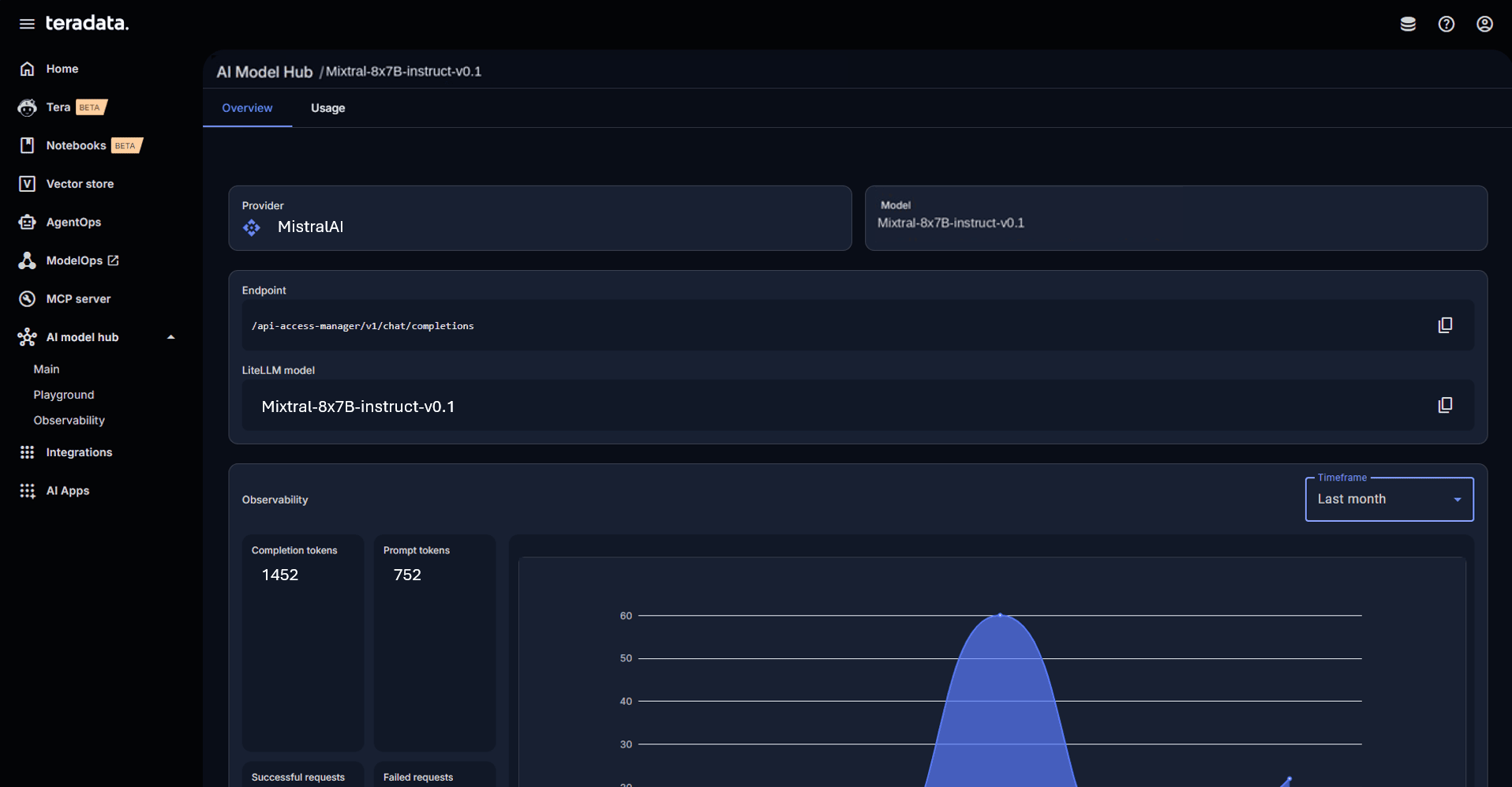
Locally deployed model in AI Model Gateway
Creating the knowledge layer with Enterprise Vector Store in AI Studio
Using the Enterprise Vector Store UI inside AI Studio, developers define vector store collections. A collection is a set of documents such as policies, procedures, and reports embedded and indexed directly in Teradata, alongside structured metadata. The source for a collection can be files or database objects.
In this case, the source is a set of PDF documents containing relevant policies and regulations.
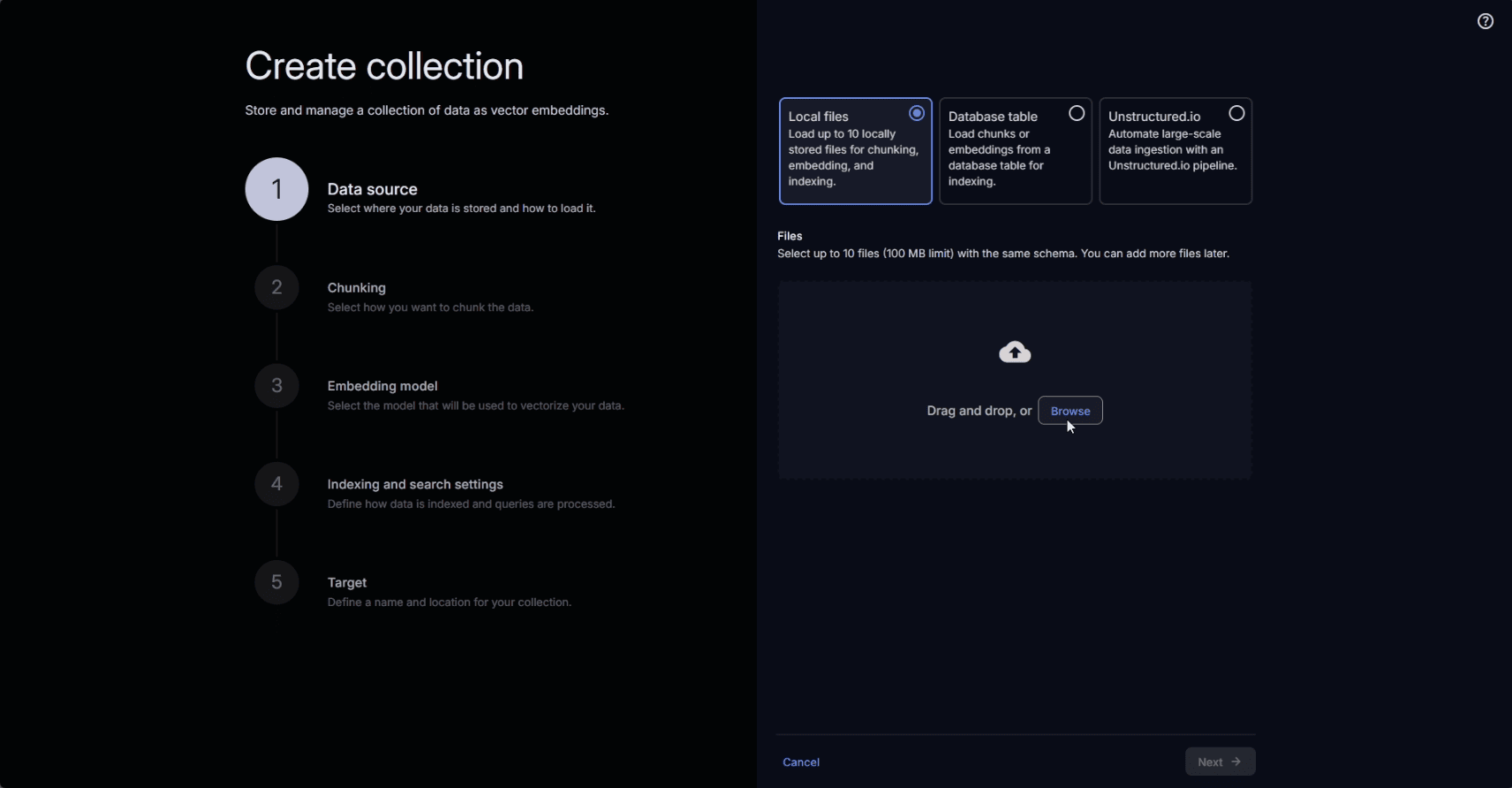
Selecting a data source for a Vector Store collection
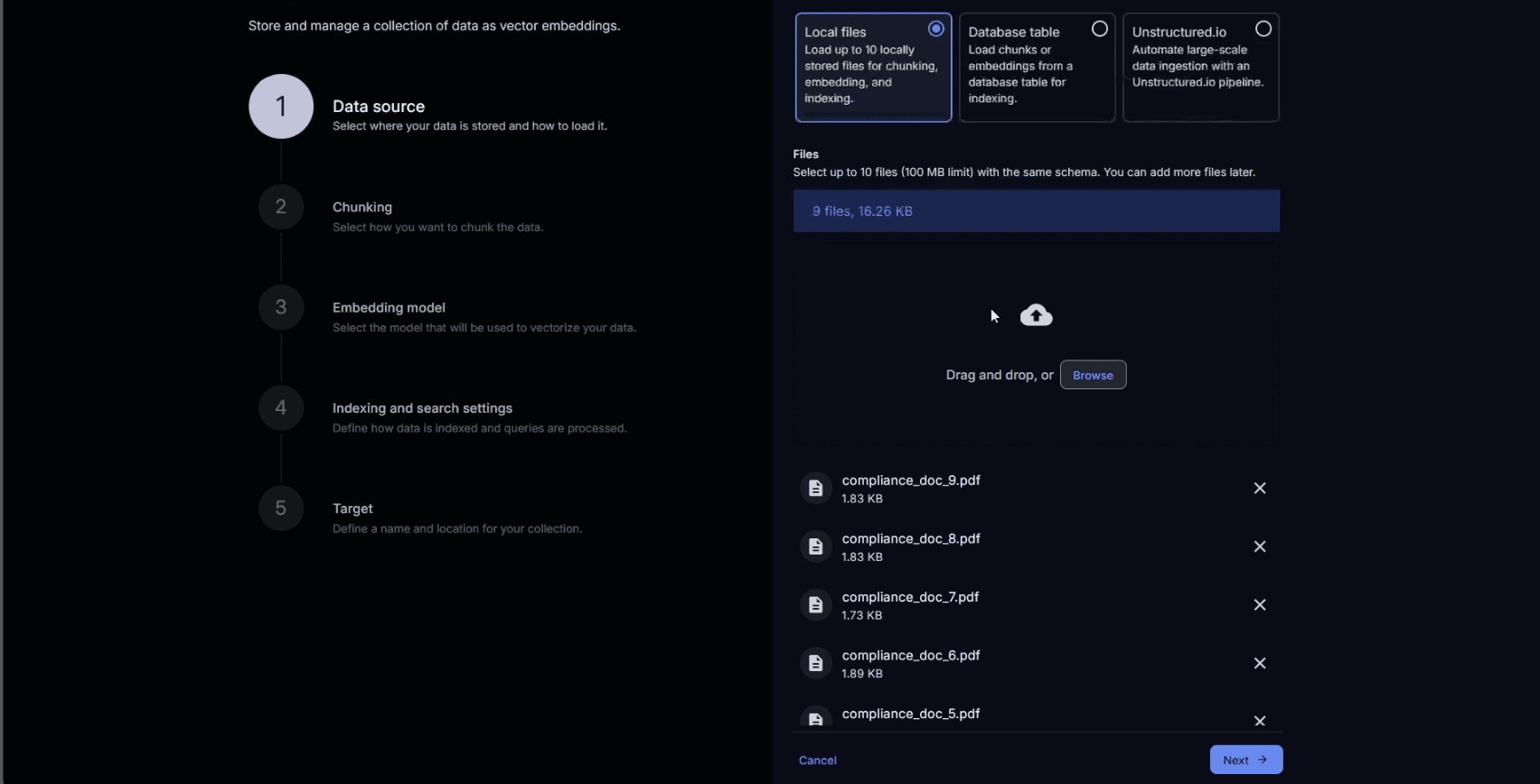
Compliance documents uploaded as sources of the Vector Store collection
The chunking method can be configured according to the nature of the source for the collection.
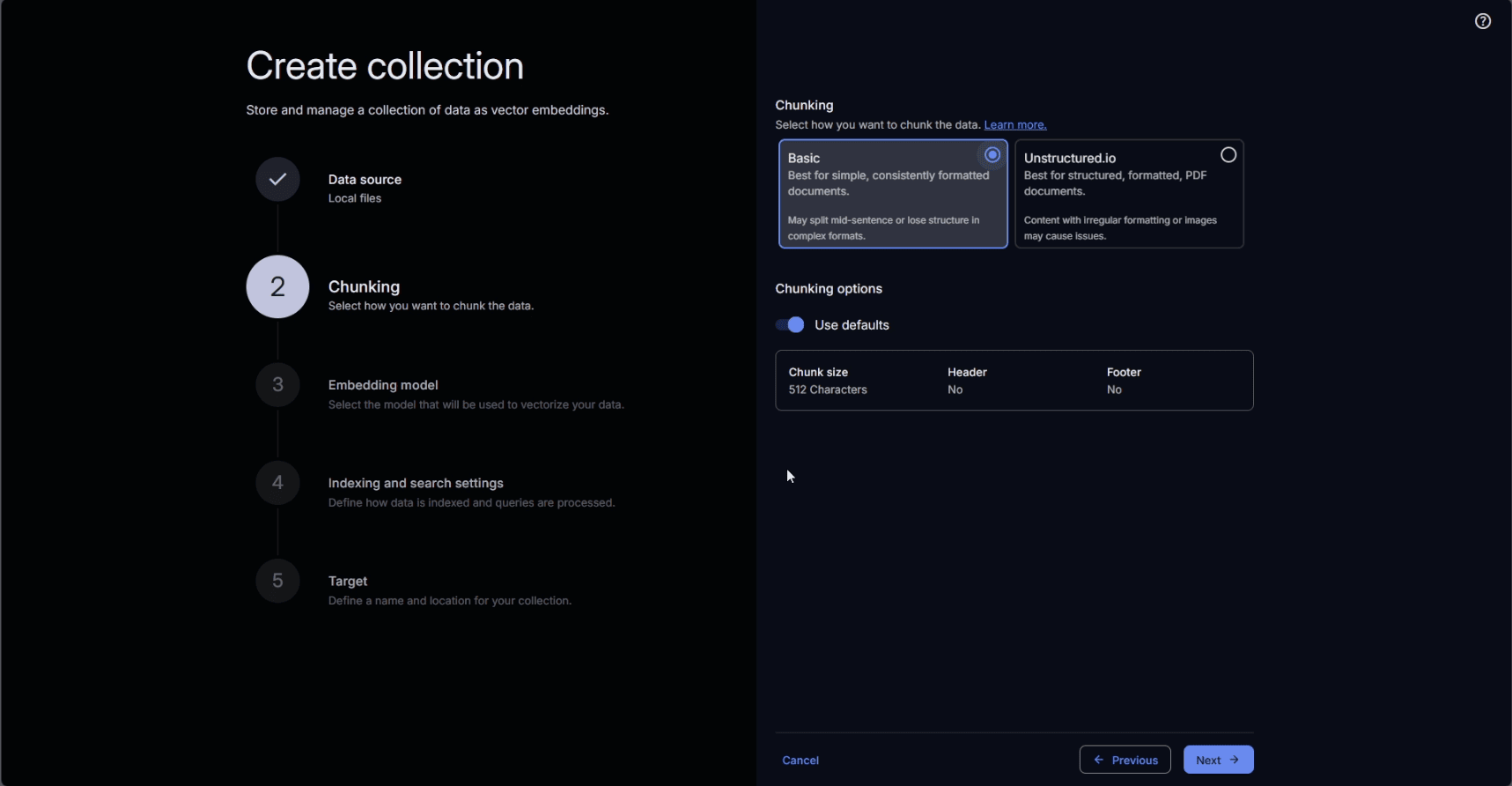
Selecting a chunking method suitable to the source of the collection
The embedding model is selected from the on-premises deployed options available in AI ModelHub.
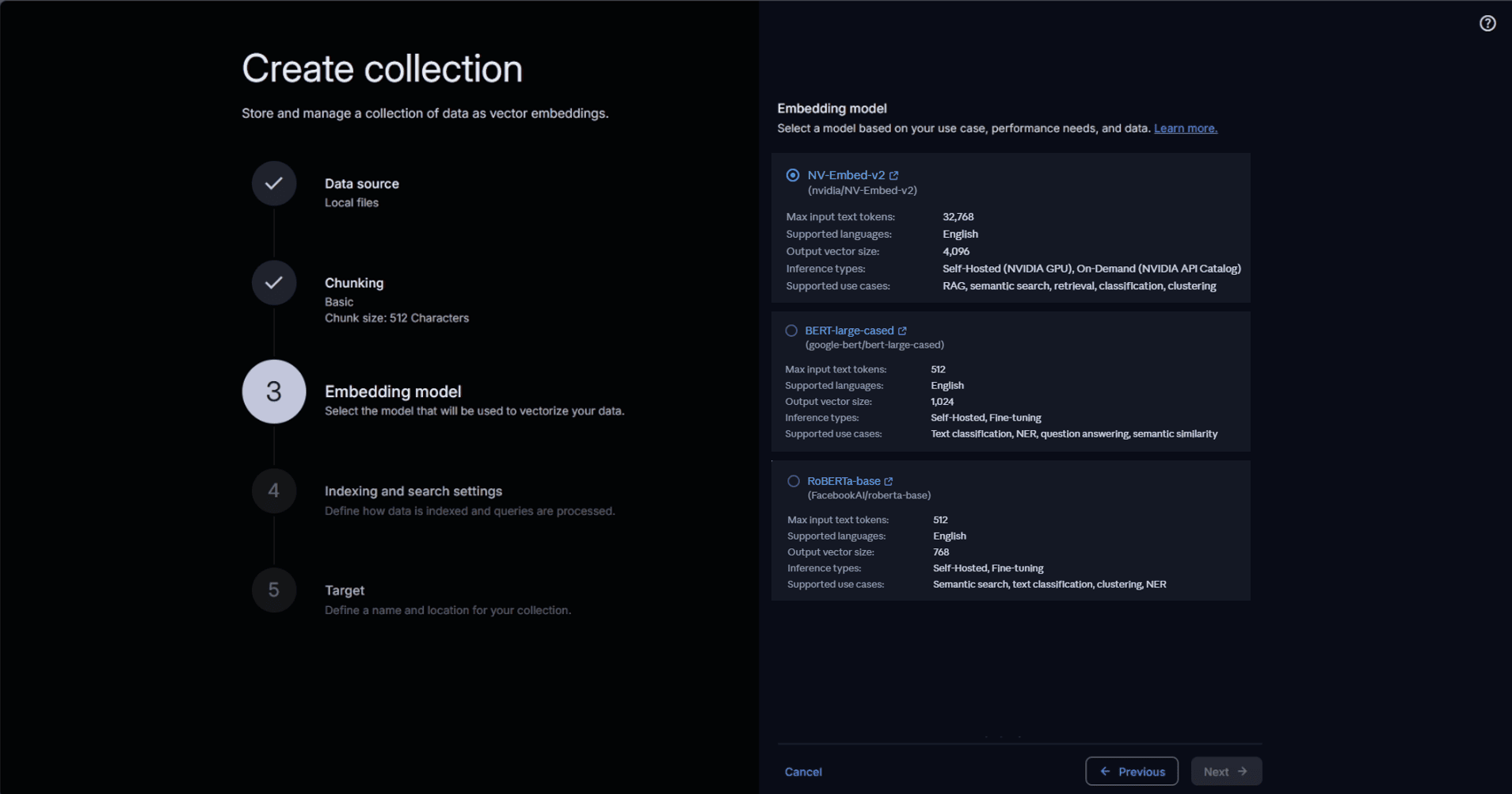
Selecting an embedding model for the collection
We proceed then to define the indexing and search settings for the collection.
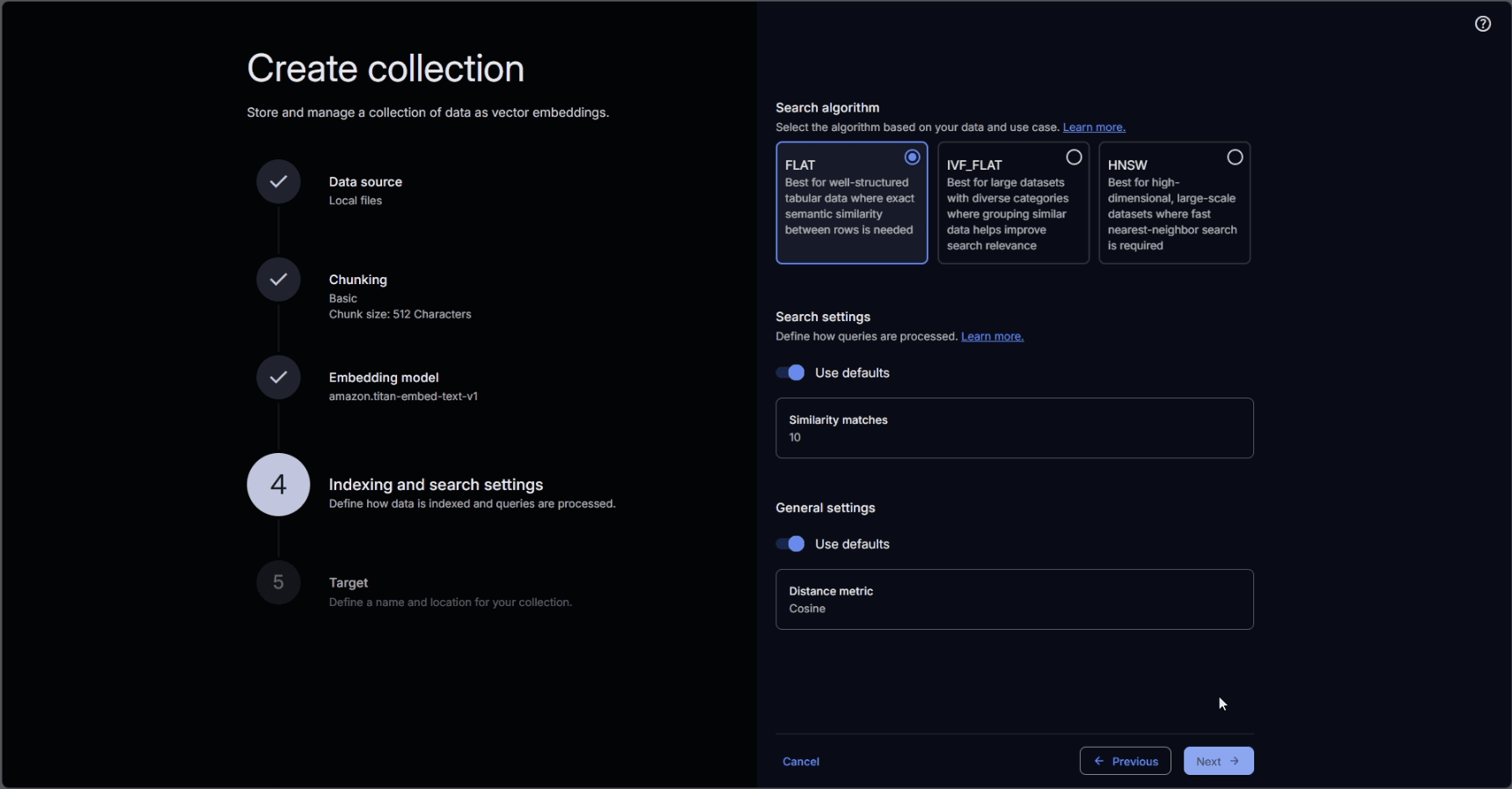
Settings for indexing and search
We assign a name to the collection, which will display in the user interface and serve as the reference for the collection in code.
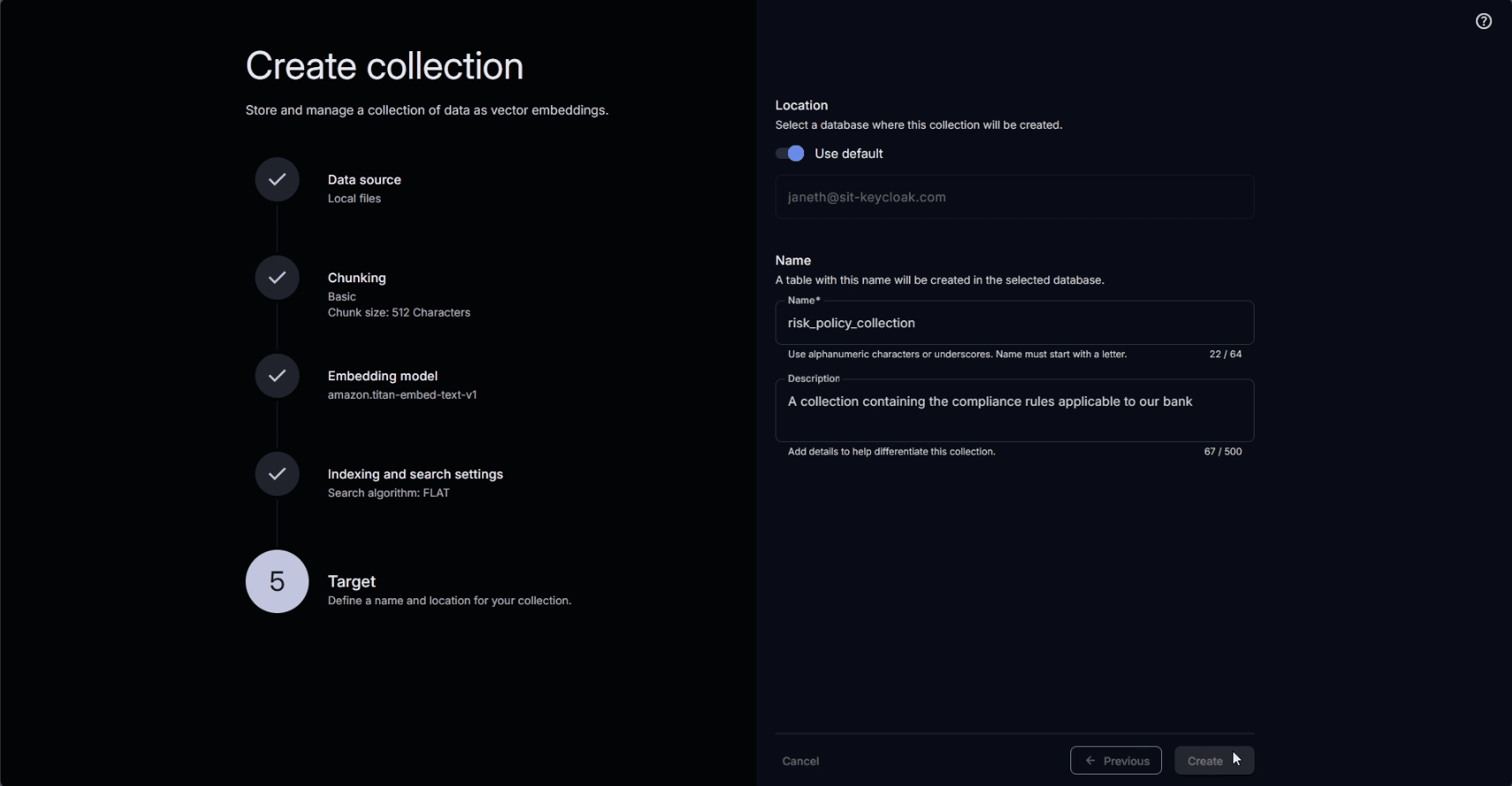
Defining the name and target database for the collection
After creation, the collection can be updated, edited, and searched.
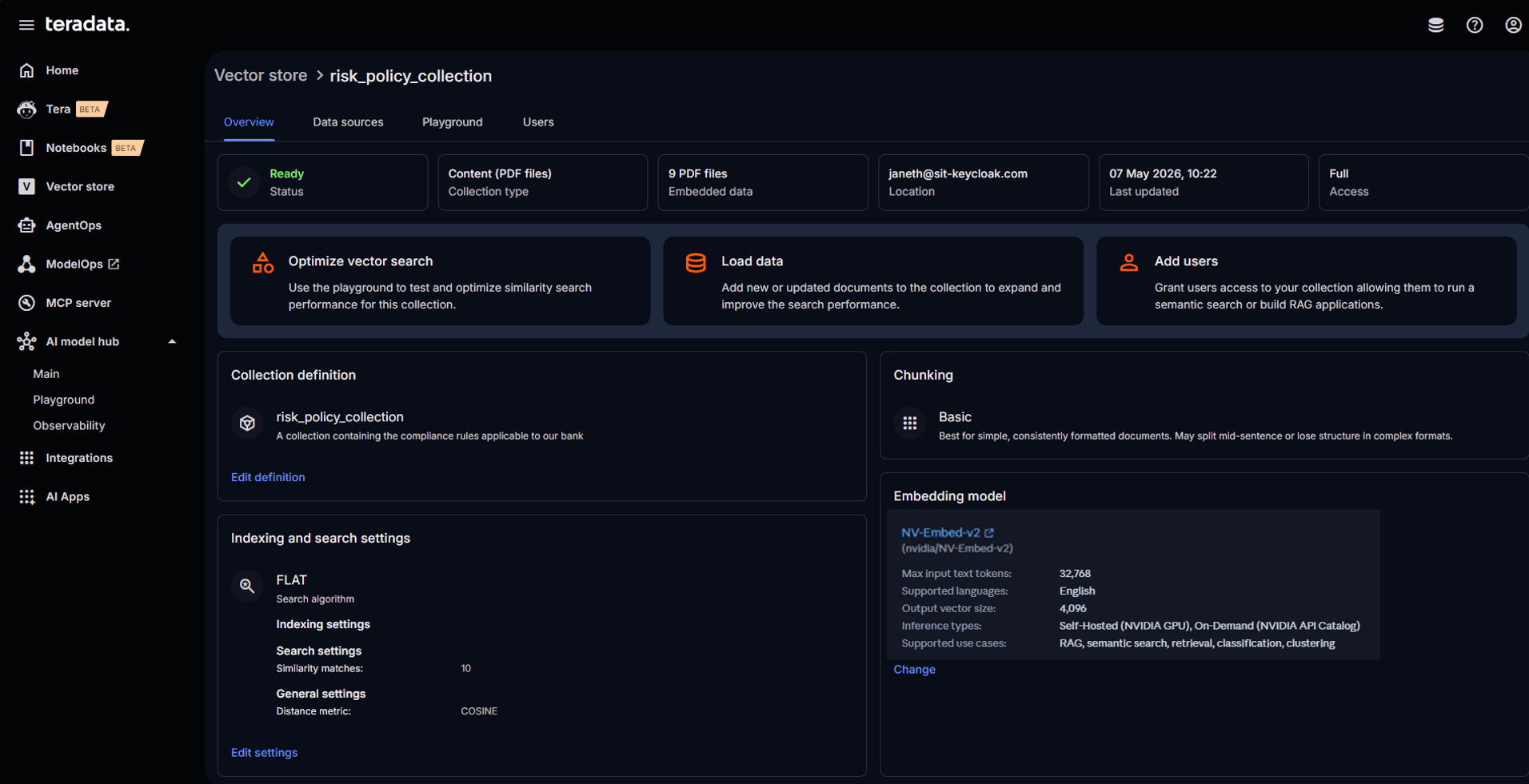 Our Teradata Factory vector store collection
Enterprise Vector Store is natively integrated with Teradata. This means vector operations benefit from the same advanced workload management and concurrency controls as any other operation in the Teradata environment.
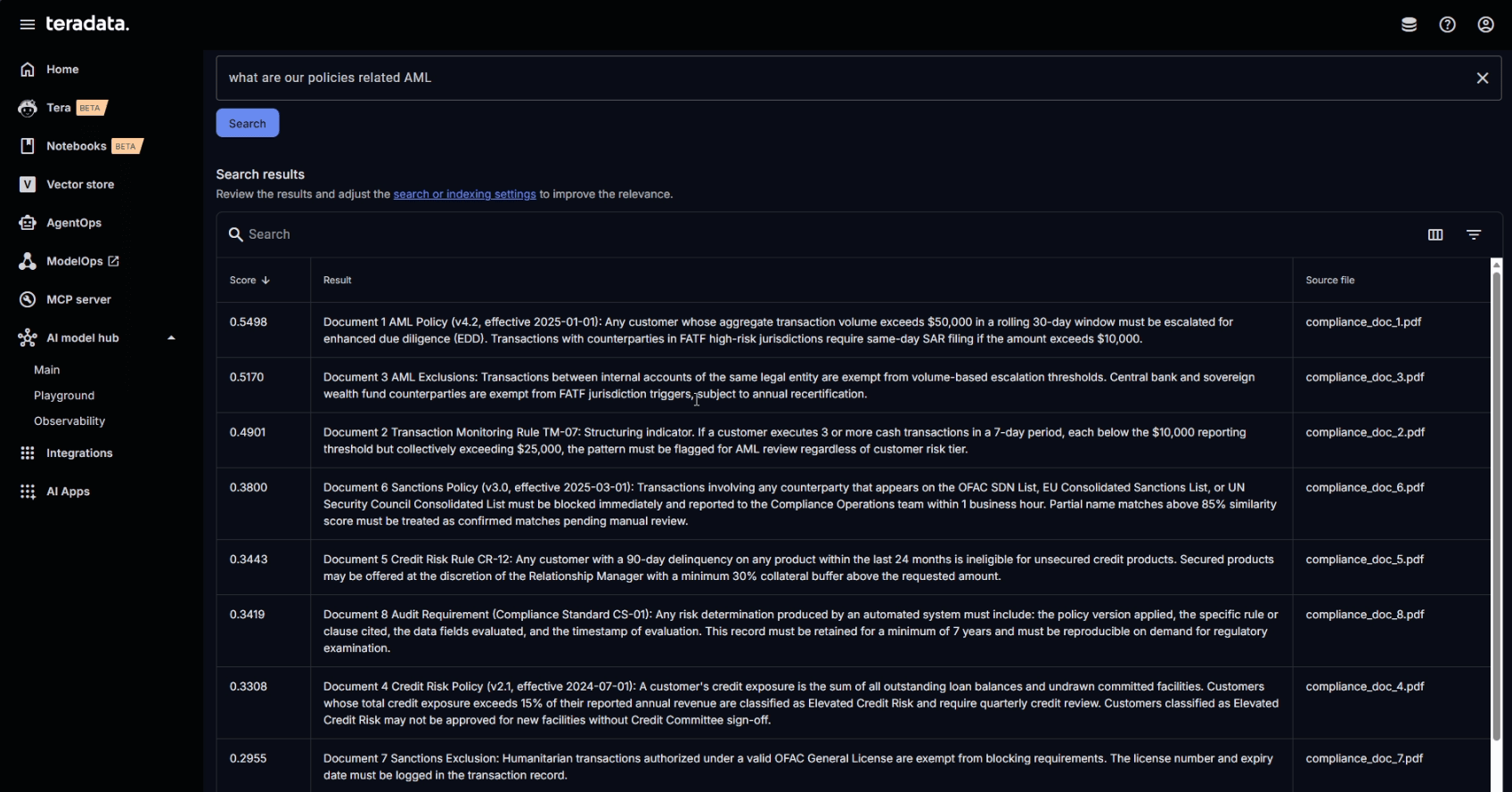
Querying the collection from AI Studio
Writing agent logic in AI Studio notebooks
The process of creating an agent begins with the deployment of a notebook. Initially, it’s essential to choose suitable compute resources from the available options to run the notebook's kernel.
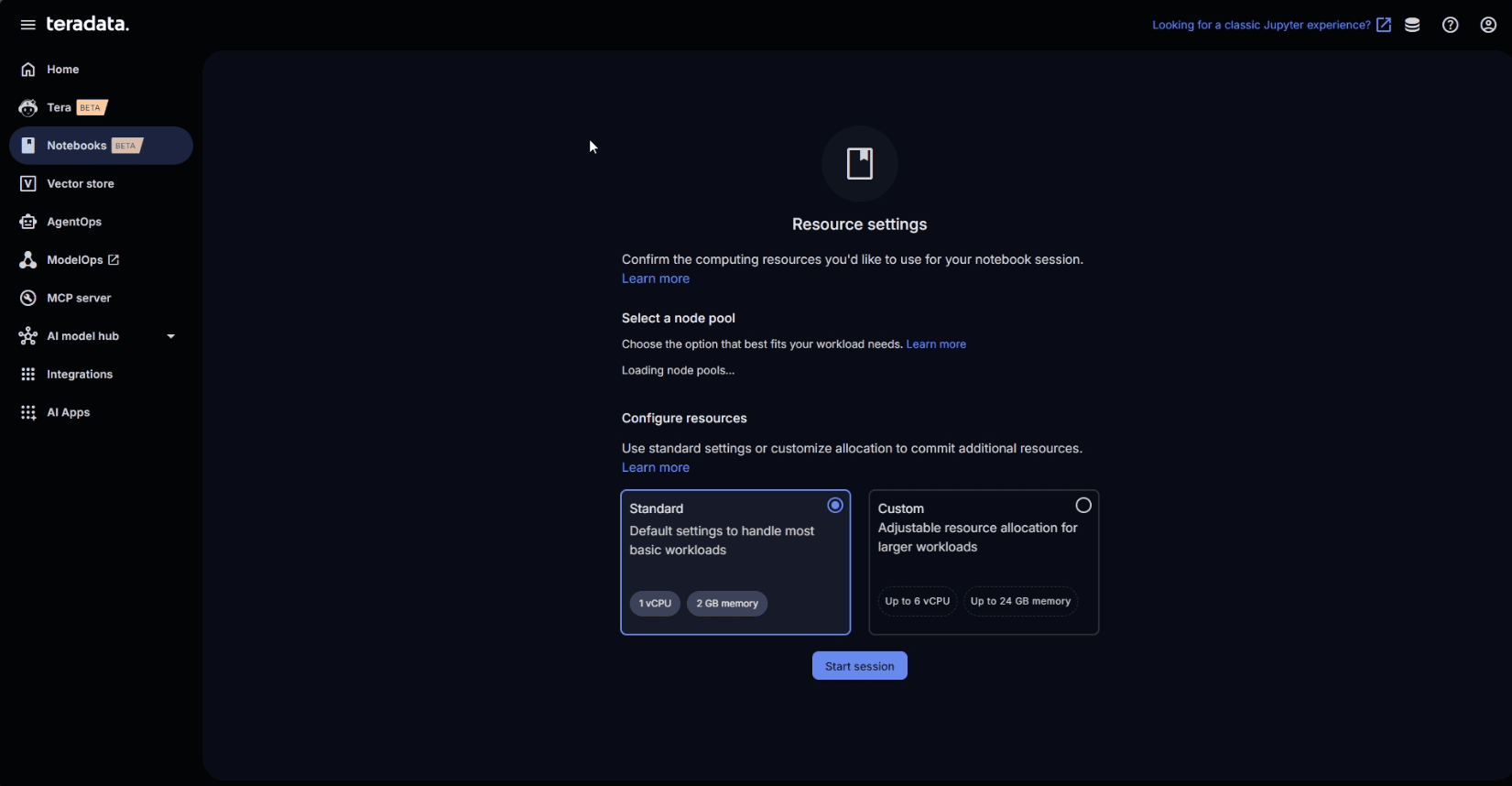
Provisioning compute resources to run our notebook environment
With the vector store, model endpoints, and development environment ready, we can begin building the agent.
In summary, an AI agent is a system that, when given a goal and a set of tools, leverages an LLM to reason about how to achieve that goal by invoking those tools. Unlike a traditional automation script that follows a fixed flow, an agent decides what to do next based on the current conversation state and the capabilities exposed through its tools.
At a minimum, every agent is composed of:
- Inputs (system + user prompts)
- A runtime that manages the loop, executes tools, and keeps track of the message chain
- The LLM as the reasoning layer
- Tools the runtime can reliably select and invoke when the LLM identifies a `tool call` as the next execution step in the execution loop
Teradata Enterprise Vector Store is integrated with agentic development frameworks like LangChain through the `langchain-teradata` library. This library abstracts the management of the agent execution and state. On the other hand, the LLM reasoning is powered by the LLMs deployed through AI ModelHub.
We can use `langchain-teradata` to retrieve the vector store we’ve already created with our policy documents.
vs = TeradataVectorStore("risk_policy_collection", log=True)
We need only to write code to define the tools, the system prompt, and the agent object itself.
In this case, we’ll create tools for querying Enterprise Vector Store to extract the rules needed to identify transactions with high risk that might require special attention.
def search_risk_policy(query: str) -> str:

"""

Performs semantic similarity search over internal risk policy and regulatory

documents to retrieve the most relevant policy clauses for a given topic.

Always call this before stating any policy-based finding so the response is

grounded in the firm's actual document text.


Args:

query: Natural language description of the policy topic to search for,

for example 'AML transaction volume thresholds and escalation

requirements' or 'FATF high-risk jurisdiction SAR filing obligations'.

"""

try:

similarity_results = vs.similarity_search(query, top_k=4)

return vs.prepare_response(

question=query,

similarity_results=similarity_results,

prompt='''Return the exact policy clauses most relevant to the question.

Include policy version, effective dates, and rule references where present.''',

)

except Exception as e:

return f"Error searching policy documents: {str(e)}"
This information allows us to identify transactions with a given risk profile. For this, we need a tool to query the transactions of a specific customer.
def risk_get_customer_transaction_profile(customer_id: str) -> str:
"""
Return a customer's 30-day transaction profile for AML, fraud, and sanctions
risk evaluation. Aggregates all transactions in the past 30 days into a single
row containing: total volume (USD), transaction count, highest single transaction,
number of distinct counterparty countries, count of risk-flagged transactions,
and the counterparty country of the most recently flagged transaction.
Call this after retrieving applicable rules and policy context, to get the
customer facts needed for rule evaluation.
Args:
customer_id: The customer_id as stored in DEMO_RiskIntel.Transactions (e.g. 'C-1042').
"""
sql = f"""
SELECT
t.customer_id,
COUNT(*) AS transaction_count_30d,
SUM(t.amount) AS total_volume_30d_usd,
MAX(t.amount) AS max_single_txn_usd,
COUNT(DISTINCT t.counterparty_country) AS distinct_counterparty_countries,
SUM(CASE WHEN t.risk_flagged = 'Y' THEN 1 ELSE 0 END) AS flagged_transaction_count,
MAX(CASE WHEN t.risk_flagged = 'Y' THEN t.counterparty_country ELSE NULL END)
AS flagged_counterparty_country
FROM Transactions t
WHERE t.customer_id = '{customer_id}'
AND t.transaction_date >= CURRENT_DATE - INTERVAL '30' DAY
GROUP BY t.customer_id
"""
try:
result = execute_sql(sql)
columns = ["customer_id", "transaction_count_30d", "total_volume_30d_usd",
"max_single_txn_usd", "distinct_counterparty_countries",
"flagged_transaction_count", "flagged_counterparty_country"]
records = [dict(zip(columns, row)) for row in result.fetchall()]
return json.dumps(records, indent=2, default=str)
except Exception as e:
return f"Error retrieving transaction profile: {str(e)}"
LangChain agents require the creation of an LLM chat object, which is the engine of the agent.
llm = init_chat_model(

model="mixtral-8x7b-instruct-v01",

model_provider="mistralai",

base_url=llm_url,

api_key=llm_key,

)
The `base_url` and the `api_key` are variables that were populated with the information taken from AI ModelHub AI Model Gateway.
With the chat object and the tools defined, we can create a LangChain agent that we can use to flag transactions. The system prompt is key to defining the agent behavior.
agent = create_agent(

model=llm,

tools=all_tools,

system_prompt=(

"You are a compliance-aware financial risk intelligence assistant.\n"

"Your role is to evaluate whether a customer or transaction breaches the firm's risk rules "

"and to explain what policy requires in response. You must be precise, auditable, and conservative.\n\n"

"MANDATORY REASONING SEQUENCE (do not skip any step):\n"

"1. Identify the relevant risk category from the analyst's question (AML, CREDIT, SANCTIONS, or FRAUD).\n"

"2. Call risk_get_applicable_rules with that category to retrieve active rules and thresholds.\n"

"3. Call search_risk_policy with a topic description to retrieve the policy clauses that govern those rules.\n"

"4. Call risk_get_customer_transaction_profile to retrieve the customer's transaction facts.\n"

"5. Compare the facts to the rule thresholds. Apply only policy clauses returned by search_risk_policy.\n"

"6. State your finding clearly: which rules were breached (if any), what the required action is, "

"and which policy clause mandates it. Include the rule_id, threshold, and policy version in your answer.\n\n"

"HARD CONSTRAINTS:\n"

"- Never write or generate SQL. The two SQL tools contain fixed, pre-approved queries — use them as-is.\n"

"- Never cite policy text that was not returned by search_risk_policy in this session.\n"

"- If risk_get_customer_transaction_profile returns 0 rows, ask the analyst to confirm the customer_id.\n"

"- If you are uncertain whether a rule applies, flag the transaction for human review rather than clearing it.\n"

"- Every answer must include the policy version, rule IDs evaluated, data fields used, and evaluation timestamp.\n"

)

)
The agent can be used directly in the notebook, to test and refine, or deployed as a script for users to access through a custom assistant. For production deployment, AI Studio offers AgentOps and Agent Playground. We’ll cover this part of the workflow in more detail in future platform walkthroughs, with a deeper look at this important area of agentic development.
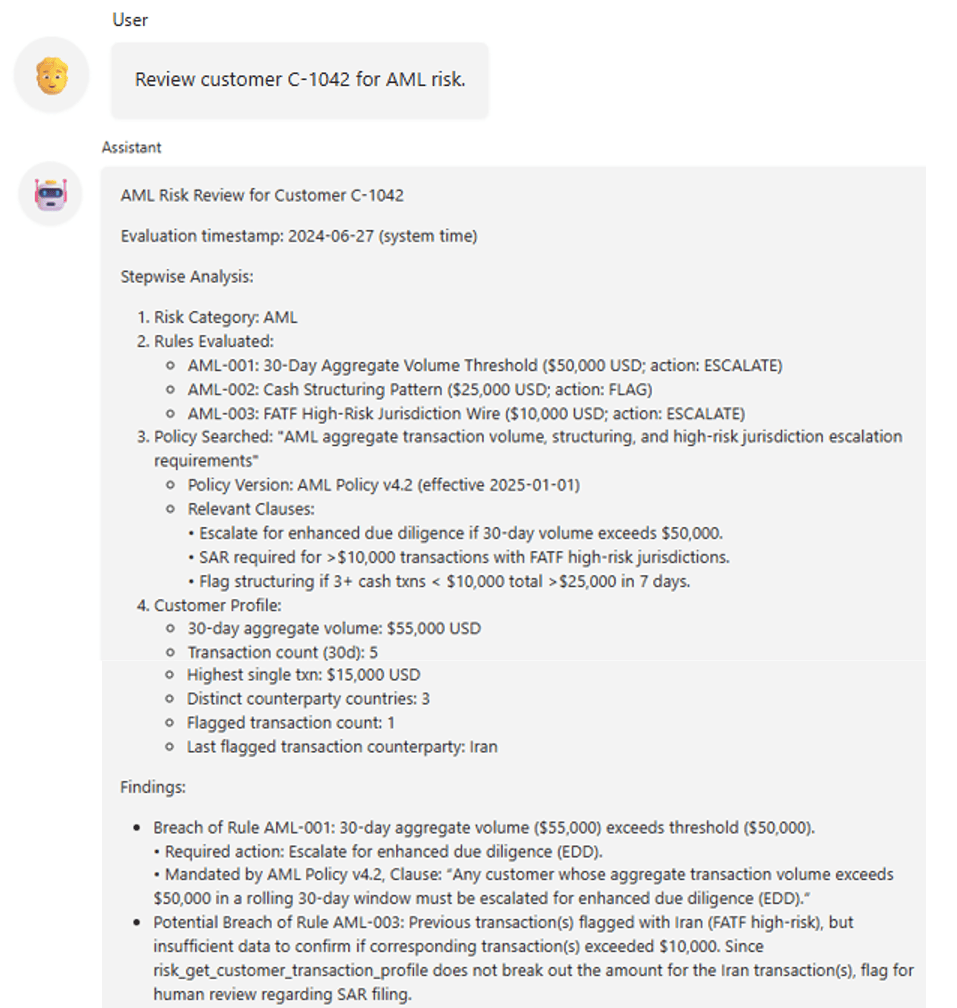
Agent evaluating a customer for compliance risks
Conclusion
You can build agentic systems on premises without sacrificing AI capabilities or developer experience. Teradata Factory’s AI Studio lets you deploy governed LLM endpoints via ModelHub, create an Enterprise Vector Store for RAG, and develop tool-using agents in notebooks—while keeping data secure and performance reliable.
Ready to get started? Download the brochure to learn more.